
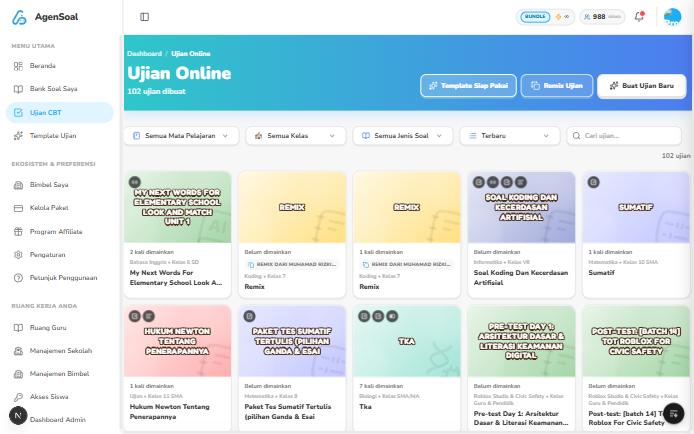
What is on the page
- The number of exams created, at the top.
- The Template Siap Pakai, Remix Ujian, and Buat Ujian Baru buttons.
- Filters for Mata Pelajaran (subject), Kelas (grade), and Jenis Soal (question type), sorting, and a search box.
- Exam cards showing title, subject, grade, and how many times the exam has been taken. Unused exams are marked Belum dimainkan (not played yet).
Sharing an exam with participants
Every exam has a Kode Akses (access code). Participants use the exam code or link to enter, then fill in the identity fields you chose when publishing.1
Publish the exam
Set time, identity, and scoring in Publish an exam.
2
Share the code or link
Send it to participants through a class group, message, or any channel you use.
3
Track results
See results and statistics in Analytics and Reports.